Published: Jun 30, 2026 by Richard Sezov
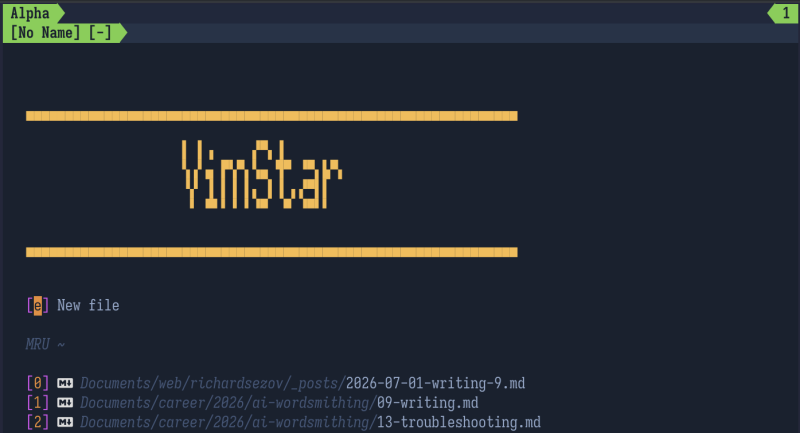
In the Linux world, there are historically two main text editors: Vim and Emacs. Over the years, I’d tried both and didn’t like either of them. They both assumed you wanted only basic functionality, and anything else you would configure yourself. At the time, I wanted to jump in and discover a fully-featured text editor, not build my own.
Mode-based Editing
One thing about Vim fascinated me, though. It had modes. All my life, apparently, I’d been using “modeless” editors, and I didn’t even know that was a thing. Vim had Normal mode and Insert mode and Visual mode and Command mode. I was used to launching an editor and starting to type. Vim started in Normal mode, which is for moving around a file, not adding to it. To type, you have to hit i (for insert), and then you can enter text. I thought this was weird, but I was wrong.
I did some more research. If the articles and videos I saw were any indication, once you learned how to move around “the Vim way,” you would be a wizard. Your fingers would fly across the keyboard and the document would change before your eyes. The jaws of those who witnessed this would drop to the floor as your cursor moved directly to where you wanted it while your hands never groped for the arrow keys.
I had successfully moved my career from full-time coding to full-time writing. I was leading the documentation team at a respected software company. I had moved us to docs-as-code. I wanted to be as efficient as possible. I decided to learn Vim, the editor of hardcore coders.
Once you learn how to move around in Vim, everything else seems archaic—with the possible exception of WordStar, which has its own ways of moving around a document quickly while keeping your hands on the home row. I started writing and editing documentation at work in Vim, and I slowly learned how to move around efficiently.
Distributions
Then a co-worker introduced me to Spacemacs. This was a new thing called an Emacs “distribution.” Like a Linux distribution, it’s a pre-configured Emacs environment that focuses on “evil mode,” or Vim mode (because to Emacs people, Vim is evil). It’s a “distribution” because it’s a fully configured environment like I wanted when I tried Emacs in the first place. This idea fascinated me, but by this time, I had customized Vim to my liking, and I didn’t switch. After this, Vim distributions started to be released (because Vim users will not be outdone by Emacs users), and then Neovim came out. Neovim changed everything by integrating Lua into Vim, freeing developers to use a familiar programming language, rather than Vimscript.
All this while, I kept honing my own Vim config, just for my personal use. And then it dawned on me.
What if I made a Vim distribution? And what if I combined the functions I was adding to make Vim more like a word processor into the WordStar command structure? I might actually have a product idea people would want!
VimStar was born. I created a GitHub repository for it in 2018. It has three branches. The first, oldest branch is the original version that works on Vim only, the second can work on Vim and Neovim, and the current master branch is for Neovim only. The current version is obviously the best version. You can check it out here: https://sez11a.github.io/VimStar/.
VimStar is how I do all of my writing now. I wrote Providence in it. I used it at work for editing my writers’ submissions (via GitHub pull requests) and for writing my own documentation. It has full Git integration and can compare different versions of the same file side by side. It doesn’t distract me with layouts, fonts, or anything else. I can sit down and focus on words only. I keep my hands on the keyboard’s home row and command it at the speed of a 100 wpm touch typist. I recently duplicated (with the help of AI) WordStar’s block functions to satisfy WordStar users, and Neovim has all the other functions a writer needs. I love it.
If you’re looking for a writing tool that helps you focus just on what you’re writing, I recommend you give VimStar a try.
Part 1 of this series is here.
Part 2 of this series is here.
Part 3 of this series is here.
Part 4 of this series is here.
Part 5 of this series is here.
Part 6 of this series is here.
Part 7 of this series is here.
Part 8 of this series is here.